Hi
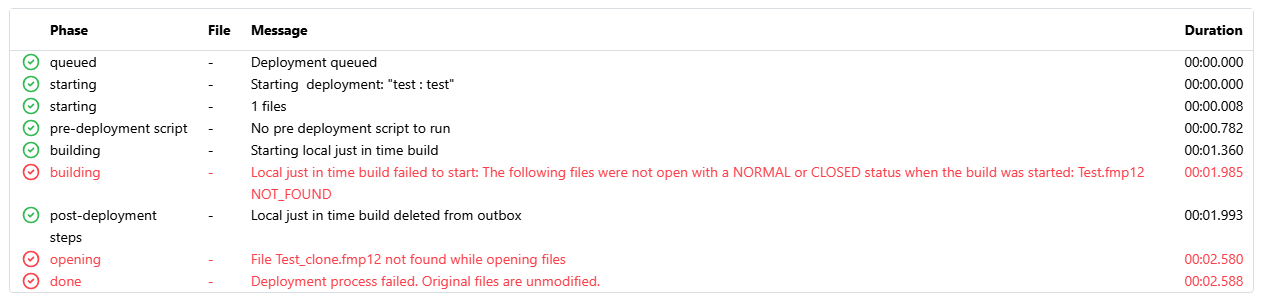
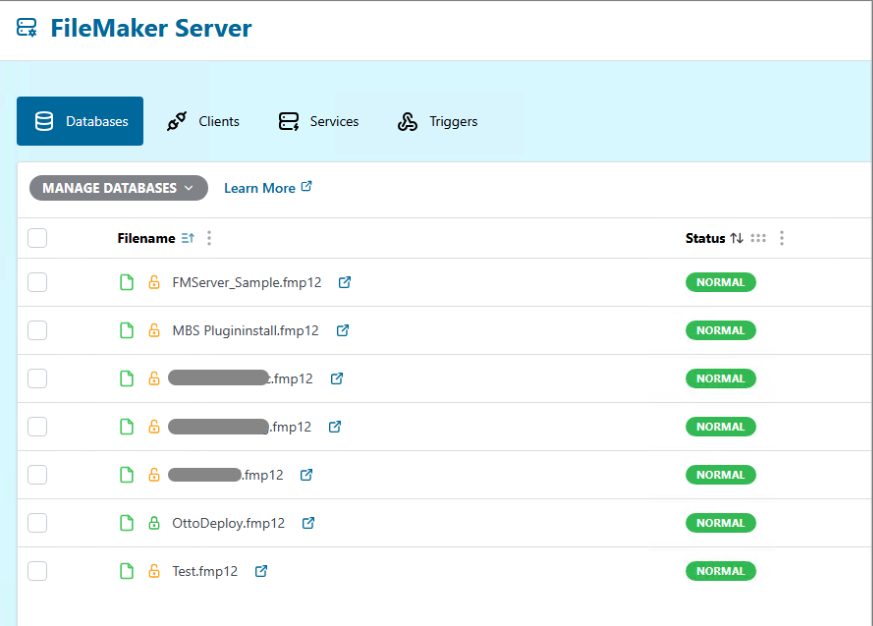
I start the deployment and get the error “Local just in time build failed to start: The following files were not open with a NORMAL or CLOSED status when the build was started: Test.fmp12 NOT_FOUND” see screenshots
Somehow the file is not found although all seems fine
I use OttoFMS 4.15.1 on Windows Server 2025 and the current version of OttoDeploy.
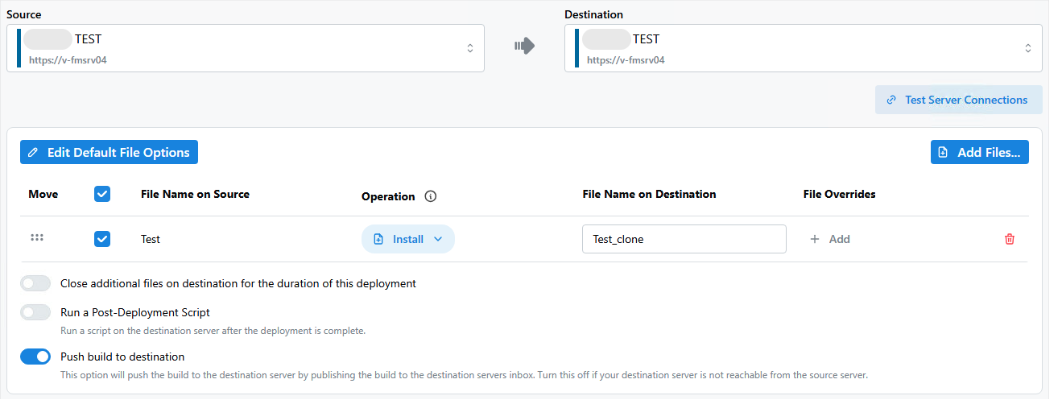
We looked at the log. It isn’t clear what you are trying to do. I am not sure why you are referencing Test_clone.fmp12 in your deployment. Normally the clone file is created by OttoFMS as part of the deployment process.
Can you explain your goal? And what you have setup?
We basically want to do a migration to another server. This failed, because of the File not Found error on the original server.
The log I sent is a second try where we just try to copy/duplicate a file on the same server and experience the same error, see screenshots.
We’re using the fmsadmin cli to list the files on the server. If the file is not found by the CLI (or has a different name) then this error could show. Do you have access to the server to run the command:
fmsadmin LIST FILES
If so could you send along the output (with any names hidden that you’d like) that would help debug.
@kduval I got aware, that it’s in a Citrix environment where IP addresses can be redundant in the worst case, but the servers are not the same. Maybe this can be an issue too, I don’t know.
The other times we’ve seen this happen was due to non-ASCII characters in filenames. I don’t think that is happening here, but I wanted to let you know.
Is it happening with any of the other files on the server or just that Test.fmp12 file?