The deployment using OttoFMS to one of our servers has been running for over 8 hours. I attempted to click “Abort Deployment” this morning, but it didn’t stop or cancel the process, and it’s still running.
To stop the deployment you can restart OttoFMS. as for debugging the underlying issue, did you have a pre-deployment script on that deployment? It would also help if you get the Deployment Debug Information and send that along for troubleshooting.
Depending on how the deployment is hung (which is what happened for you) the abort button can fail to work as the server is stopped while trying to do something.
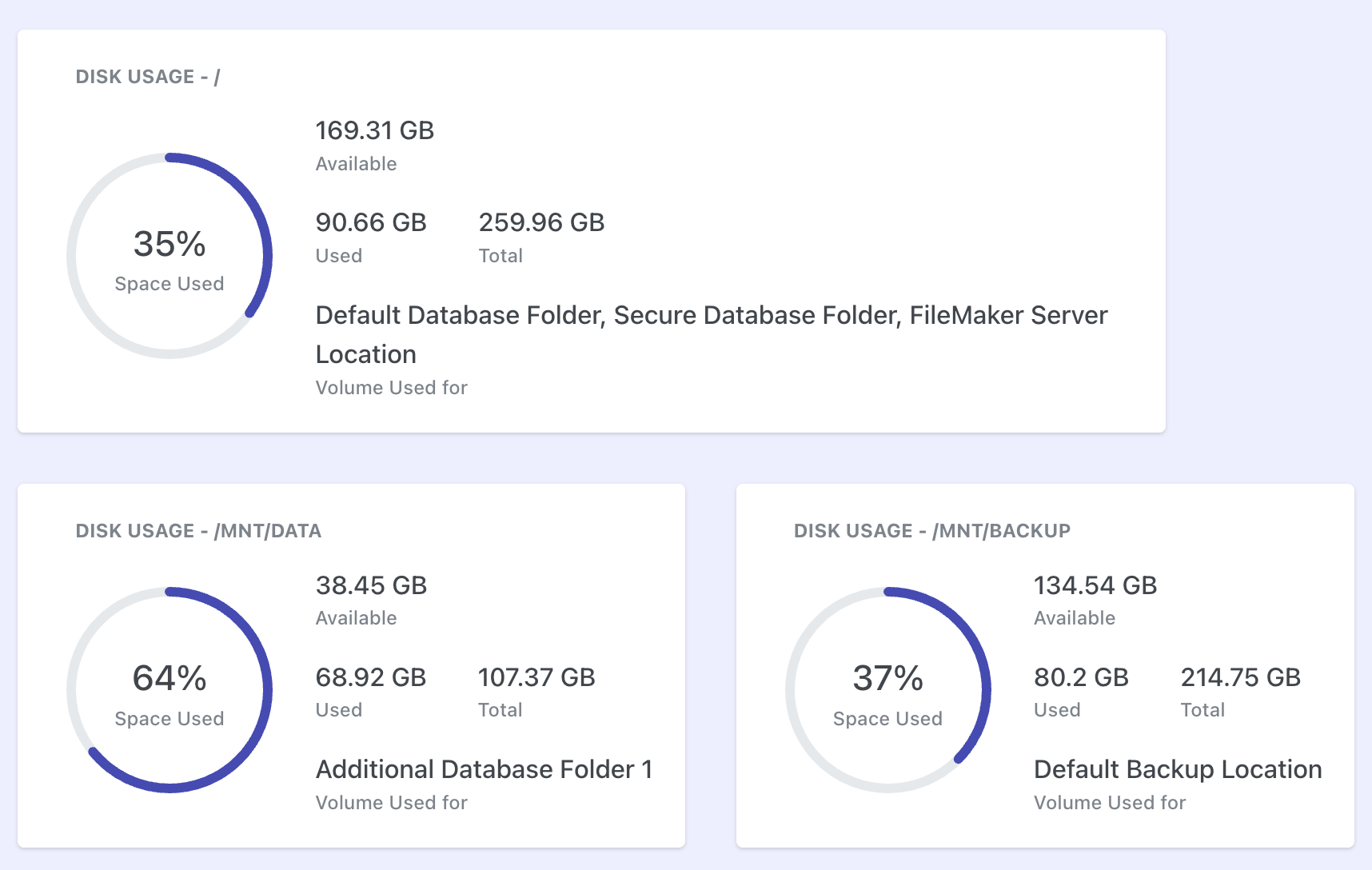
For the disk space part, OttoFMS is checking only volume containing the FileMaker Default Backup location. It should match with the stats on the OttoFMS Dashboard. It looks to me like something got hung after your deployment finished and it never properly ended. It also looks like theres something funky going on with the log.
I would recommend starting by upgrading to the most recent version of OttoFMS and trying again.
I have occassionally seen the post-deploy script hang and never seemingly complete. This occurs infrequently and randomly it appears. When it does, aborting the OttoFMS process works fine. The danger is when I try to abort the deployment and it decides to roll everything back (even though deployment actually worked).
Sounds like a similar thing here albeit pre-deploy script rather than post.
@weetbicks, Thanks for sharing that insight. I agree, the behavior seems random, which makes it tricky to reproduce consistently and this is the first time that I have experienced it.
It is frustrating that we cannot debug on which script step actually caused it to hang. If you have any thoughts on the same then please let me know. Thank you.