We’re actually in the middle of porting this feature over to OttoFMS right now, it will likely be released in one of our next two versions in the coming weeks. Thanks for checking in on it! I’ll update you once it is released.
The Google Groups feature was added in 4.15.0, which just released! The setup for OttoFMS Google Groups is almost the exact same as for Otto v3 with the exception of there being a slightly different token URL and the configuration in OttoFMS is uploaded via the settings page rather than the file browser. Check out the docs for details and let me know if you have any questions or issues.
I’ve emailed this to you…but just in case you dont get it…
Thanks for this….however when I visit the store with the link you provided and log in ….there are no orders, no way to add an order, no licenses and no way to add a license……nothing works.
Sorry for the confusion. We just migrated our website and store and clearly things are not ironed out yet.
We will get the cleared up ASAP. In the meantime
If you want to look up orders or licenses you have made in the past visit the store at https://store.proofgeist.com, login with the email and password you used in the past and you will be able to see the all your past stuff.
If you want to a NEW license, for some reason, you can go to here
Hello Kyle
I hope you are well.
We’ve downloaded and installed OttoFms 4.15.1
Configured it in Google Filemaker Server etc (it’s an upgrade from V3 so most of the config was already done)
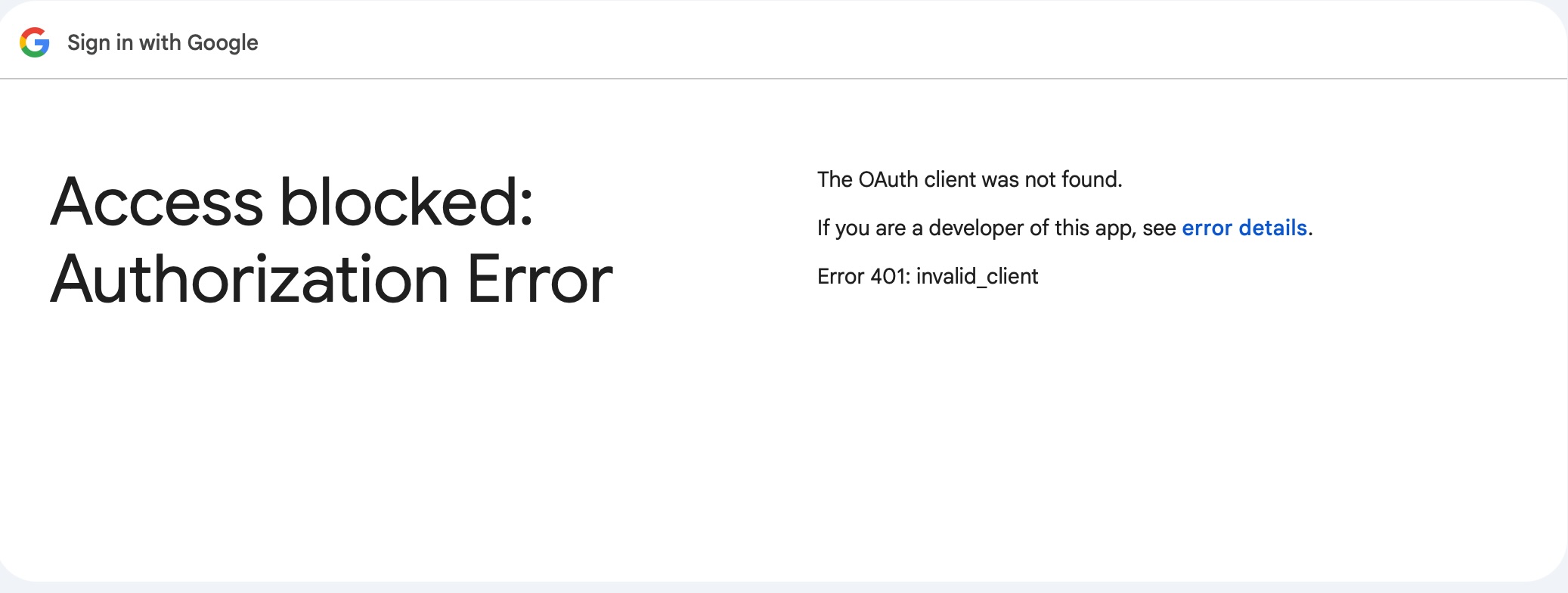
We are getting an error 401 ‘invalid client’
Though the client appears to be correct…checked it for random spaces etc.
Any insight?
When in the process are you getting the invalid client error? If you turn on debug logging in the OttoFMS config settings do you get details in the debug log?
I suspect that the problem lies on the Google config side, as the Google menu items in your installation guide did not seem to quite line up with that of the actual Google console.
Could there be an issue in that we are running Otto v3 on two other servers (which are also configured through Google)
FYI We can’t upgrade these two until we can get OTTOFms running correctly on our testing server
Thanks for reaching out, and sorry you’re hitting a wall with this. Your instinct is probably right — the Google config side is almost always where things get tricky with this setup.
We’ll take a look at the docs and see if we can update them.
On the multiple servers question — having Otto v3 running on your other servers shouldn’t cause any conflicts. Each server has its own configuration, and they can all live under the same Google Cloud project without stepping on each other. So you shouldn’t need to worry about that part.
For getting things working on your test server, the key things to double-check:
Make sure the service account and the original OAuth 2.0 client are in the same Google Cloud project
Confirm the Client ID you pasted into Domain Wide Delegation came from the service account’s Advanced Settings (not the OAuth 2.0 client ID — there are a couple of different IDs floating around and it’s easy to grab the wrong one)
Verify the Admin SDK API is enabled in that project
Make sure the JSON key file you uploaded to OttoFMS was downloaded from the correct service account
If you want to come by Office Hours, we can help you take a look