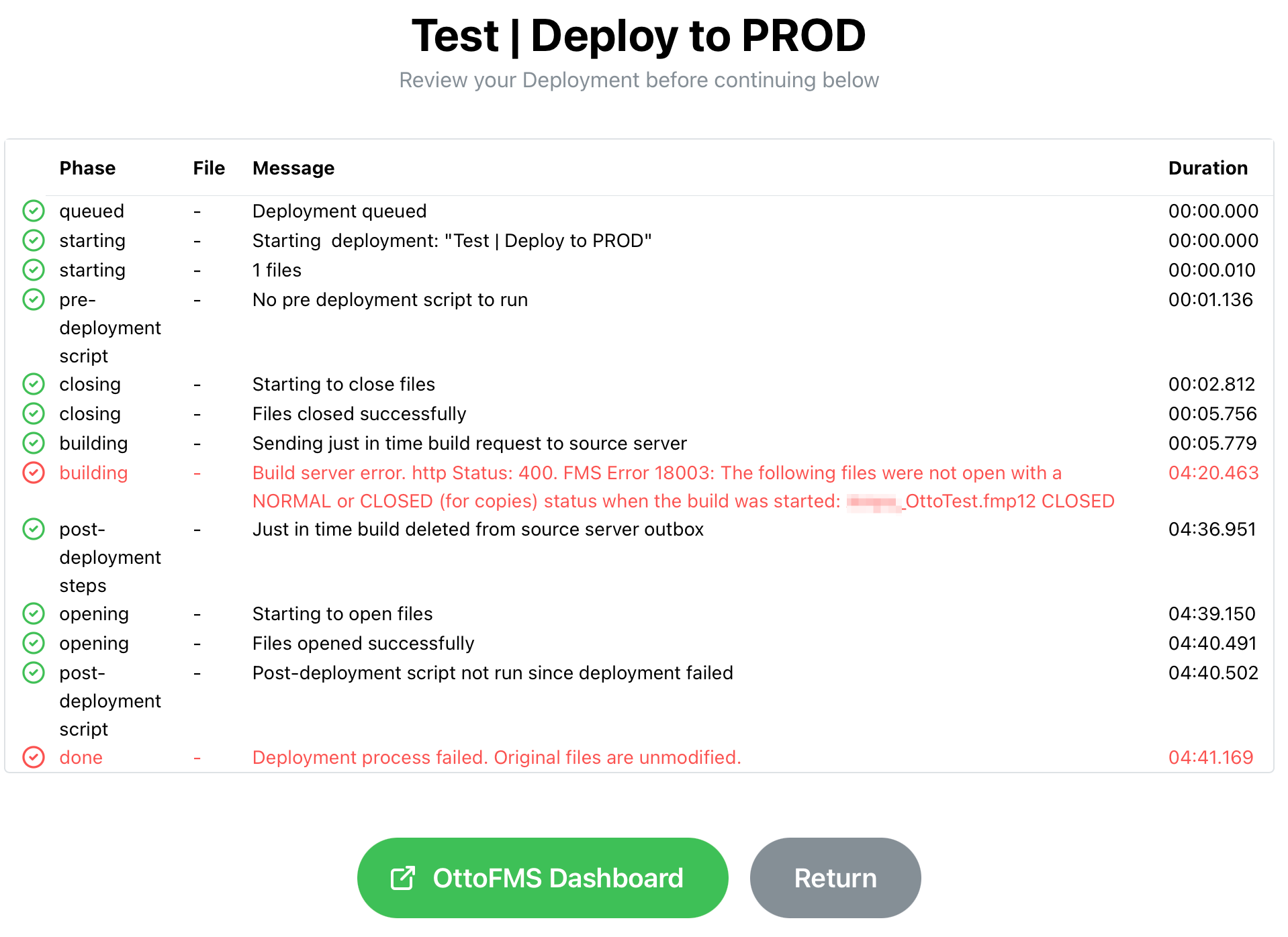
I’m getting the following error when trying to run a “migrate” deployment:
Build server error. http Status: 400. FMS Error 18003: The following files were not open with a NORMAL or CLOSED (for copies) status when the build was started: Amps_OttoTest.fmp12 CLOSED
OttoDeploy version 2.2.1
OttoFMS 4.10.3
FMS 21.0.2.202 on Windows
I got this same error on two separate setups. One is a pair of Soliant.cloud servers, the other is on-prem.
Nope, I did not. One of my colleagues did a troubleshooting session with Proof Geist. but they didn’t succeed in nailing down the problem. They said they’d add more logging into a future version of Otto to get better insight into what the issue is, but looking at the current release, it doesn’t look like that additional logging has been added yet.
The process that is checking to see if the file is open is using the fmsadmin list databases command and the status therein. I would check a few things:
Does the list databases command on your source server list your file?
Does the status match the status in the admin console/OttoFMS?
Does the filename match?
Its possible that the list database command can display different files and statuses from the admin console/OttoFMS if you have multiple files with the same name in your Databases directories. I’ve seen this happen when renaming files into the folders with the same name. FileMaker doesn’t really handle having multiple files with the same name.
The other possibility I could see is if you’re on a Windows server the list databases command does not handle non-ASCII characters. So if you have a database name with an umlaut or something in it the command will not find your file properly.
In @Mislav 's case, I suspect it is a multiple files with the same name problem, I am not sure about your case @yorleumas without seeing an error message.
Hey Kyle, our issue wasn’t due to multiple files with the same name. I just ran the test today with a previous deployment build that didn’t work but it is working now. What we did was below:
Did a clean uninstall of FMS 21.1.4 and installed FMS 21.1.5.500
Upgrade OttoFMS to 4.11.1
I was able to run a install in place, also a migration from the dev server (now running on FMS 21.1.5.500) to production which is running on FMS19
Both servers had the FileMaker file open. The file is named Histlog.fmp12, which contains no special characters, and there are no other files with the same name.
@yorleumas do you have access to the command line on the source server? can you run the fmsadmin list files command for me and let me know what the values you get for that file are?
@yorleumas sorry, could you run it with the “-s” flag? that will return the file statuses as well as the paths. I should’ve been more clear when I requested that, my apologies.