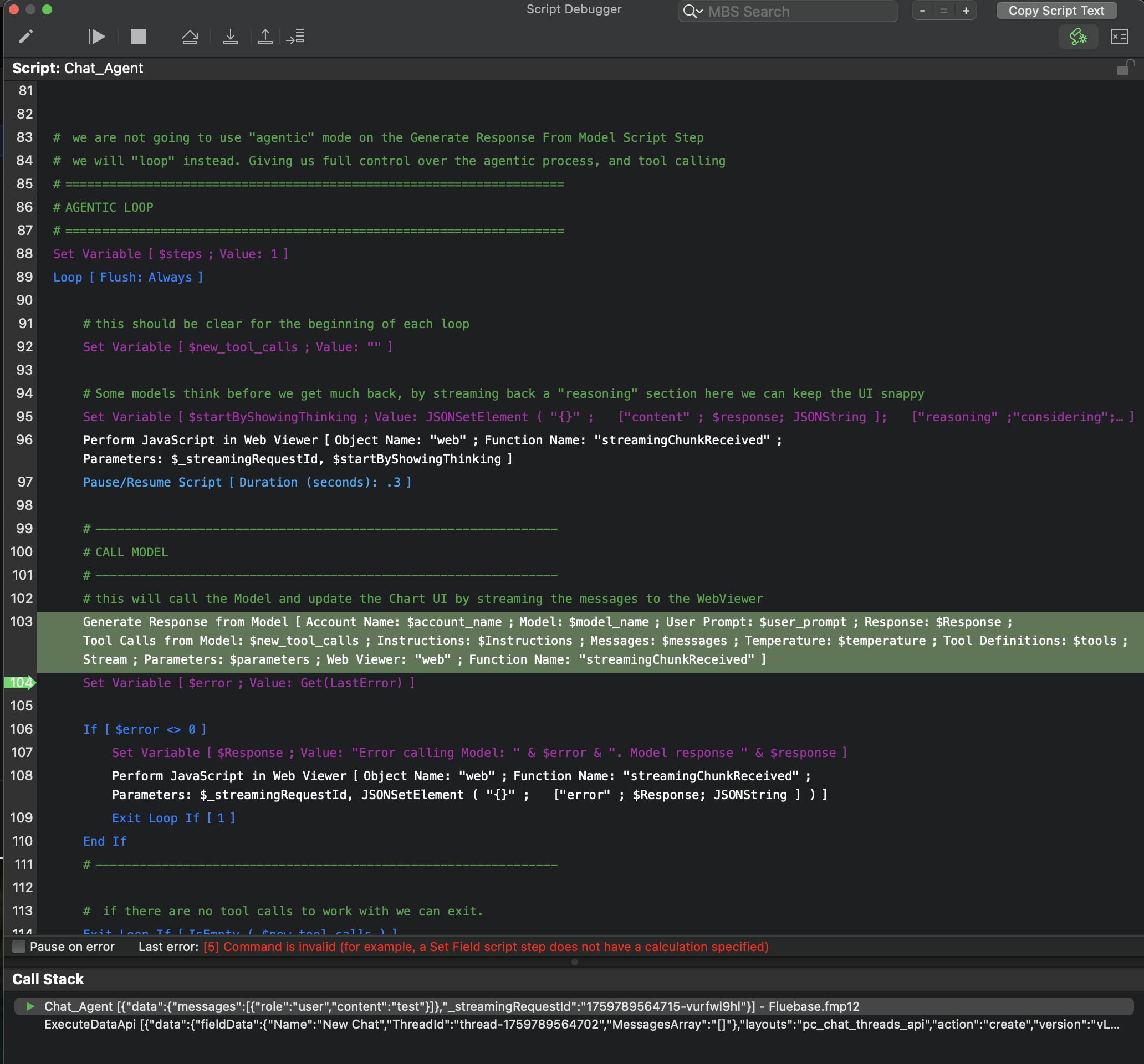
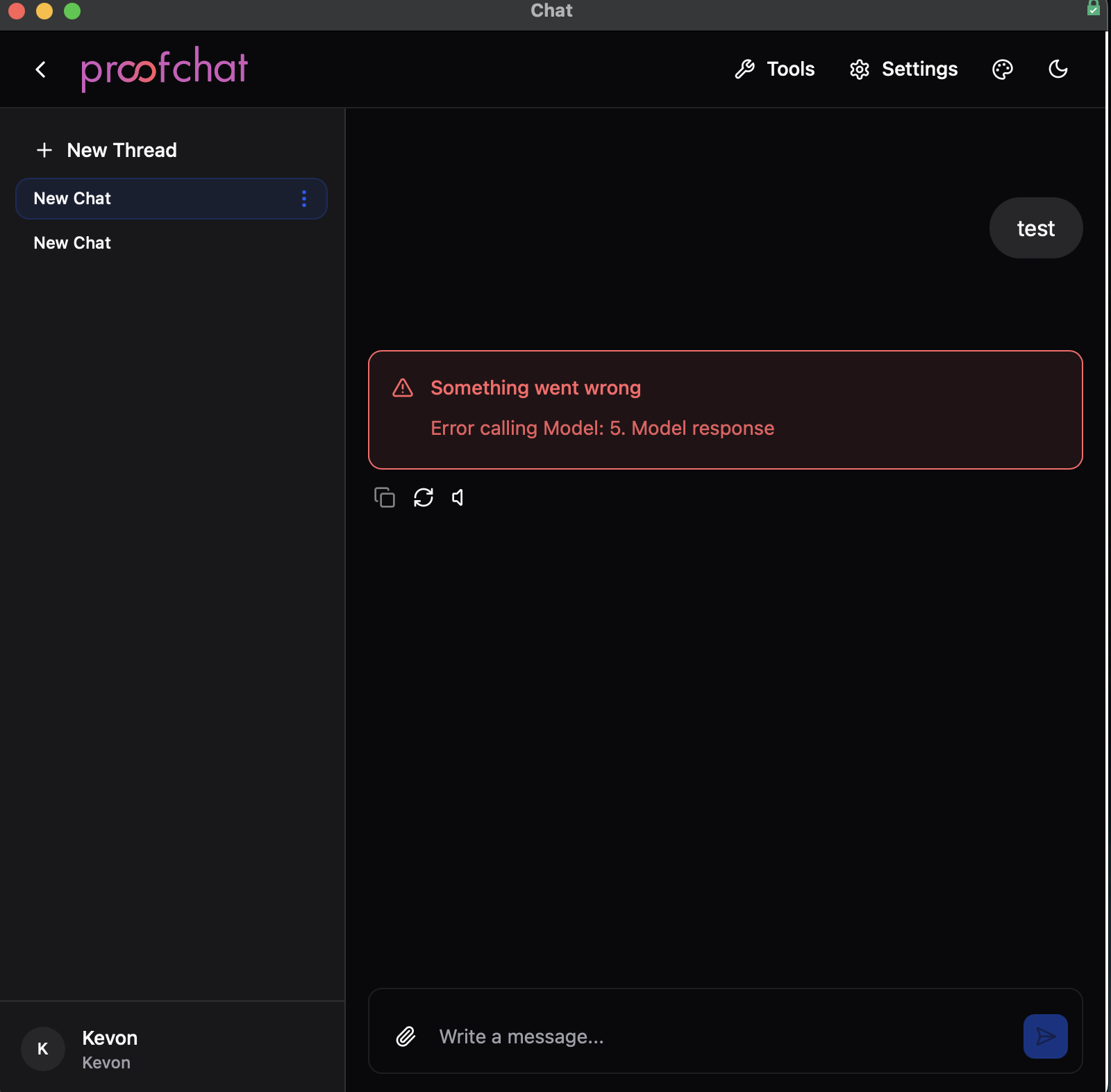
I followed the steps after testing it in the proof chat sample file. Webviewer loads fine, but it seems that the Chat_Agent script gets an error when calling model. I didn’t modify that script, and have only selected tables in the one script and the layouts in the other script.
Hello,
Thanks for trying ProofChat. 
I would guess that something is up with one or more of the settings. Navigate to settings in the WebViewer chat app app. Look at At the AI Accounts tab. Make sure you have entered an Open Ai Key, and that your Model Assignments are setup correctly. Based on your error, my guess is that your model assignments are missing something.
To see what this page should look like, take a look at the same settings page in the Demo file.
Let us know if that helps
Thanks
Todd
Thank You Todd. I will comb through those settings to be sure.
This reminds me of when we rolled out an AI feature on our iPads, and for some reason pulling the variables for the account and messages from a relationship gave me issues in mobile. However this is on my laptop testing. Makes sense it could be a setting. I’ll look closely at each one.
The key for Open AI came over when I imported the tables but the license for Proof Chat did not. Would this indicate anything by itself?
~ side by side screen shot below, should I be looking into these somewhere else?
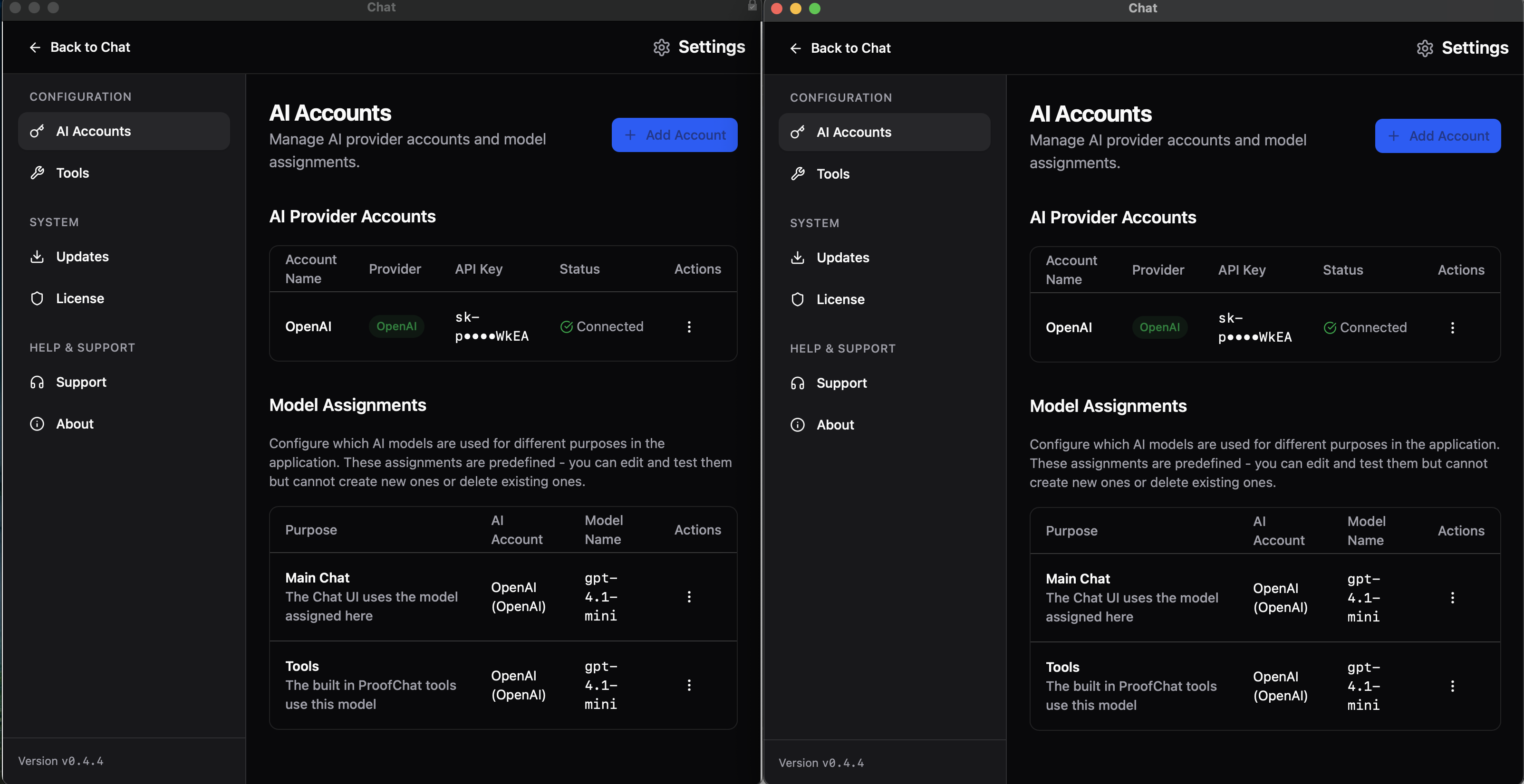
Those screens looks correct. But I think I would reselect the provider in the Model Assignments section. That remains the most likely issue. Error 5 basically means that one the script steps inputs is empty, when it shouldn’t be.
If you run it in debugger you should see all those variables instantiated. I suspect $account_name and $model_name are likely empty.
The License would need to be reset, when you change FileNames. So needing to enter it again would make sense.
Todd
OK, I redid the openAI key, after deleting the record in the old account. Then selected the new account in each of the model assignments. Below is a screen shot showing the data viewer variables when I get the error in the debugger.
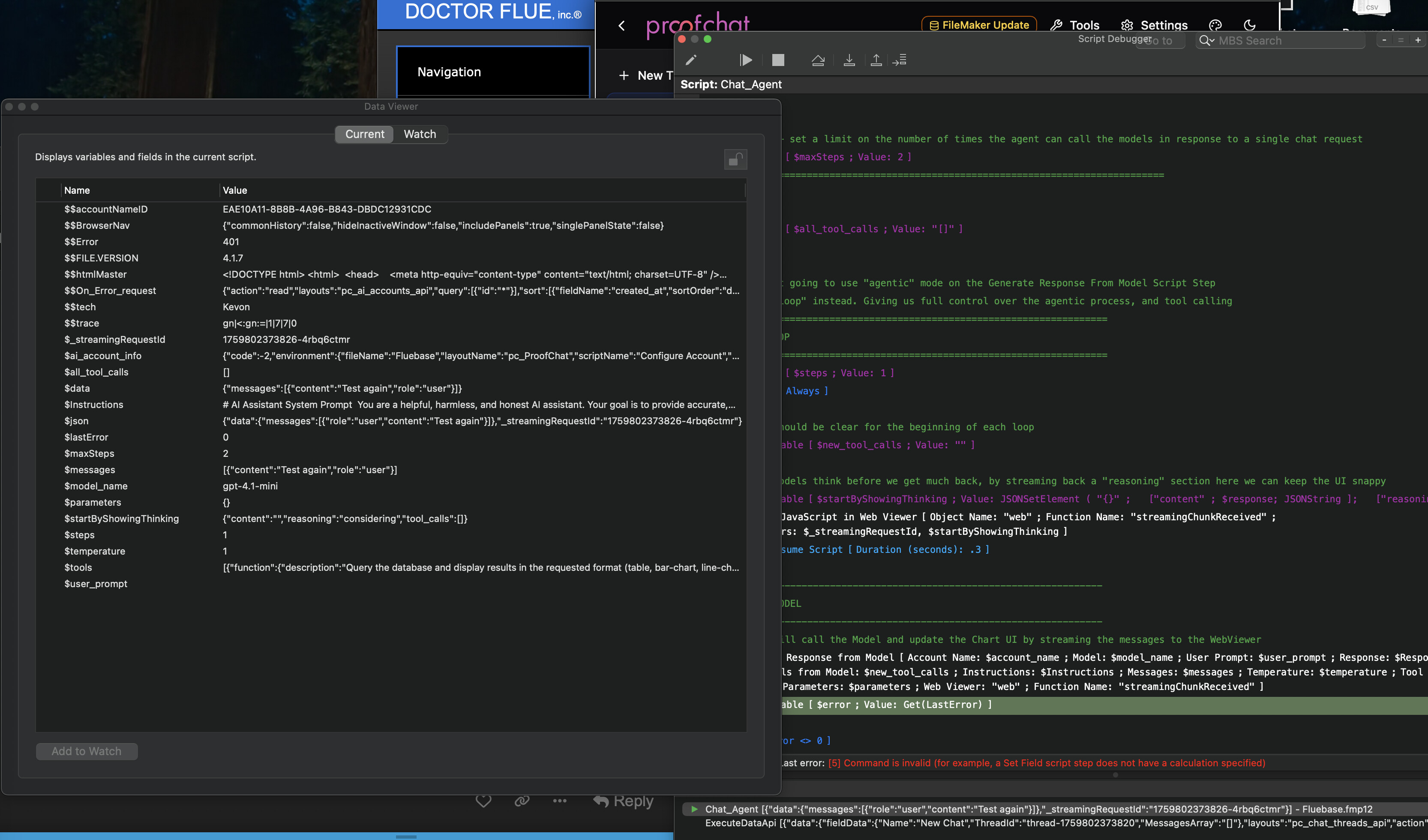
I found that the variable $ai_account_info variable in my file was not getting populated correctly. Example below. So I am removing the integration and will start over with the newest version in hopes this may catch whatever I did wrong in integration. Thank you so much for the amazing tool, I’m anxious to get it working in our system and add value to our users.
{“code”:-2,“environment”:{“fileName”:“Fluebase”,“layoutName”:“pc_ProofChat”,“scriptName”:“Configure Account”,“scriptParameter”:“{"account_name":"","apikey":"","endpoint":"","provider":""}”,“systemPlatform”:“1”,“systemVersion”:“15.7.1”},“model_name”:“gpt-4.1-mini”,“provider”:“”,“scriptName”:“Configure Account”,“scriptStep”:“”,“text”:“no endpoint for custom provider ""”}
From Proofchat example file:
{“account_name”:“OpenAI”,“code”:“0”,“model_name”:“gpt-4.1-mini”,“provider”:“OpenAI”}
- Update -
Doing the integration again seemed to have done the trick. I’m not positive what I screwed up the first time, but ProofChat is now operating in our main file.
Thank you very much for what you are doing to elevate the FileMaker community!!!
I had the same experience i followed the steps correctly i got error 5. I cant remember what i did and it worked but it worked in my main file. Pretty cool by the way