Howdy all! I’ve been playing around with Tools in ProofChat. Tools are just scripts that are exposed to the LLM, somewhat like how MCP servers expose Tools to other chat platforms. I’ve done some tool setup with MCP servers and, being a FileMaker-native, this is by far the easiest way I’ve I’ve seen to implement tools. It’s a bonus because it can interact with your database directly.
I’ve made a ~13m long video of me showing some of the tools I’ve been playing with (which you can watch here), but I want to start a larger discussion of what tools you’ve been making.
Here’s a non-exhaustive list of the tools I’ve created:
Get a dad joke
Get a word definition
Get a wikipedia entry
Create or retrieve local notes and documentation entries
Create contacts
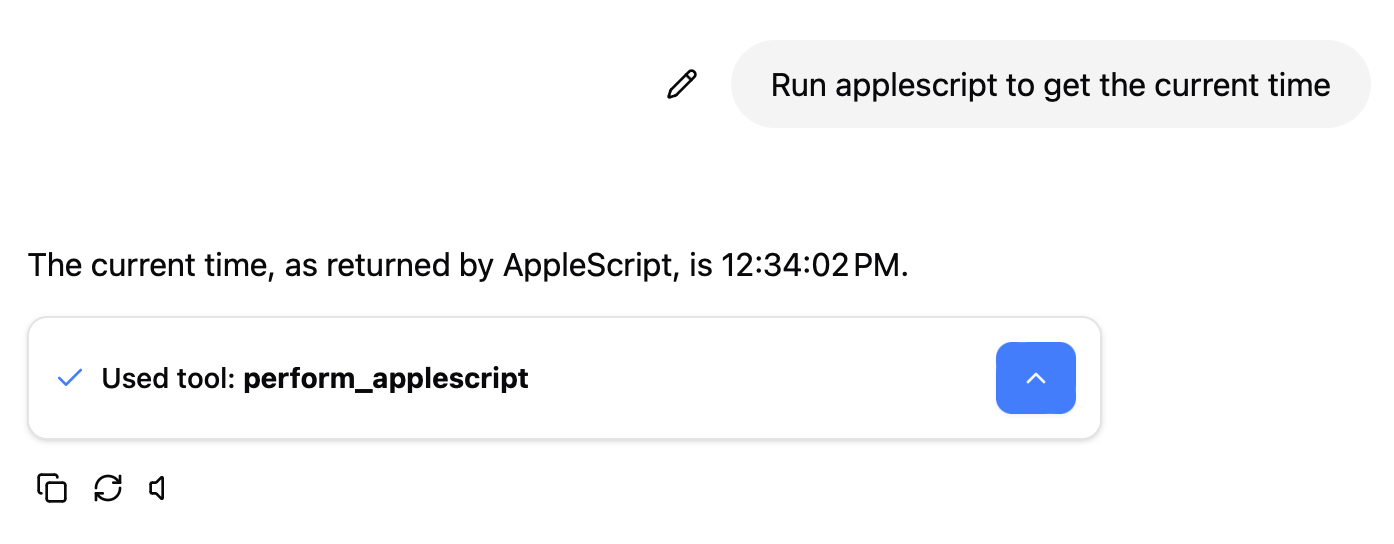
Perform AppleScript
Send Email
Show a Generic Web Form or HTML
Get URL contents
I’ve been trying to think outside the box and think about elemental tools that can be pieced together in interesting ways. For instance, with the get url contents tool and the create contacts tool, you could prompt ProofChat with something like this:
Create contacts for all the people and orgs that are on this url X
And it would pull down the page at X, look for any people or orgs and create them in your system. Another prompt in the same thread may be:
Email them to John or Create a reminder to check in with them next week (if the right tool existed for the latter).
My file is messy and was never really meant for distribution, but I’m attaching it as well if anyone wants to take a closer look. All you’ll need is your own ProofChat license and OpenAI key.
I love seeing this kind of stuff. One of ProofChat’s goals is to give FileMaker devs a quick and easy way to experience AI, and this is an example of doing that.Z
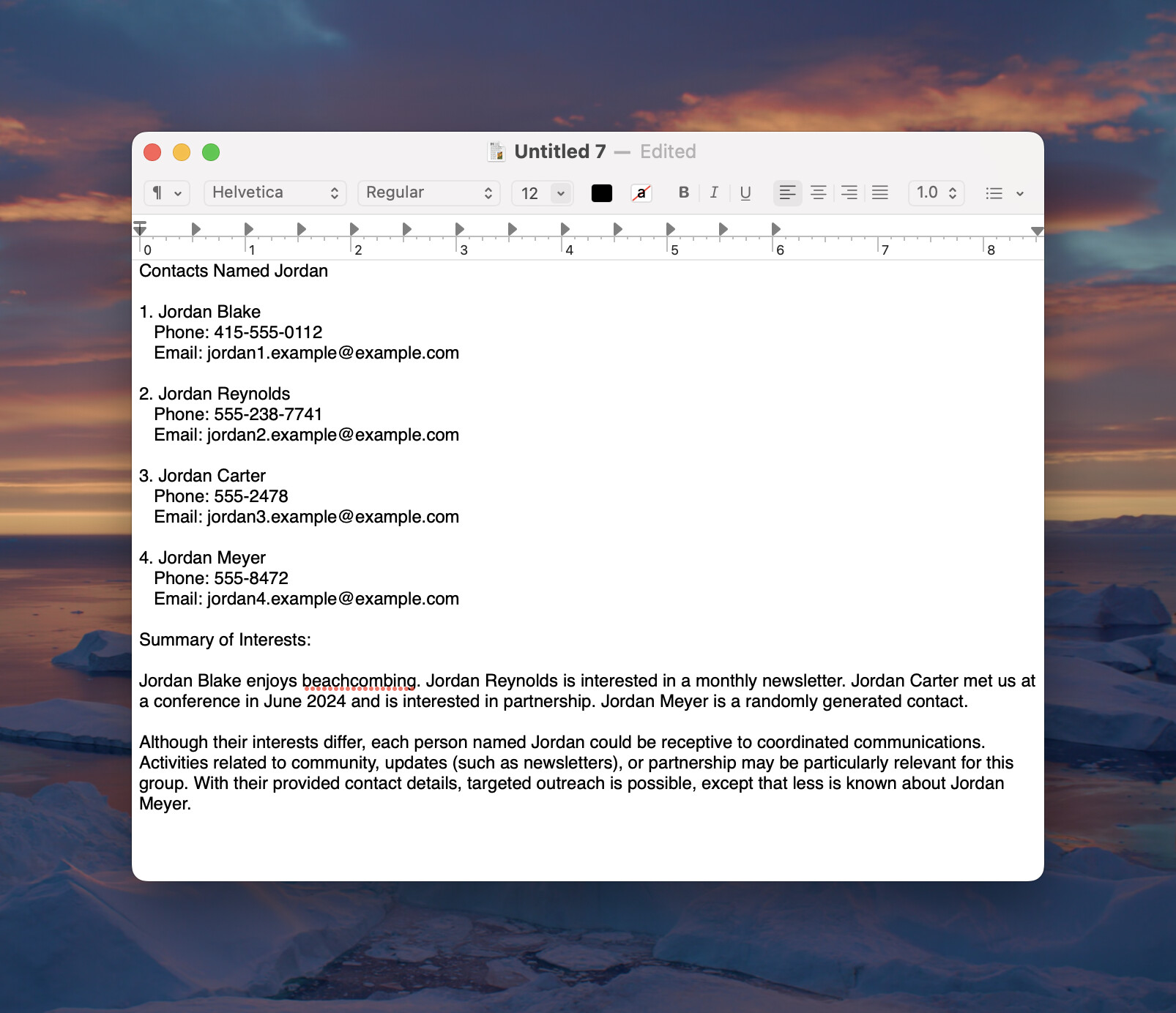
So I was playing around with my Perform AppleScript tool and I came across a use case where you can have ProofChat create a document on your computer (TextEdit in my example case) using data from your FileMaker system.
I run through a couple examples in this video - one silly and one a bit more practical. I think this is just scratching the surface.
This should work in the example file I uploaded above (I made no scripting or ProofChat tool changes), prompts like the following…
Query the database for anyone named Jordan.
and then following up with…
Run an applescript to tell TextEdit to create a document with a
listing of these names and a paragraph with a summary of their
interests and how they might be similar to one another
@mike.lee because you are triggering the AppleScript from FileMaker you can have it write back to a field in a record (applescript_result in mine) and because this is a FileMaker script you can pick up that data and do more with it in your FMP logic
@john_r I dived right into this… I was able to get it to return the result by using a global field. It only required three other changes.
Modification to the System Prompt. I added this to the system prompt to ensure that the global field is written with any result the AppleScript might need to return. This may need to be tweaked.
## AppleScript Specific Instructions

- FileMaker's "Perform AppleScript" script step cannot get returned data directly
- The Application name is "FileMaker Pro 2025"
- There is a Table called "Globals" and a field called "applescript_result"
- Ensure that any output from the AppleScript is stored in a RESULT variable
- Write the RESULT of the AppleScript the "applescript_result" field
- You don't need to tell the user that the value has been stored to the "applescript_Result" field

To do this, add this extra line of AppleScript to the bottom of any AppleScript that is generated
```tell application "FileMaker Pro 2025" to set cell "Globals::applescript_result" of current record to RESULT as string```
And then in my tool_perform_applescript tool script, I modified the Exit Script to include the results from the AppleScript:
Quick Edit: This slipped my mind, but you also have to enable the Allow Apple events and ActiveX to perform FileMaker operations (fmextscriptaccess) extended privilege for the account you’re using in FileMaker. Otherwise the AppleScript call back to FM will fail. I discovered this by testing this in another file and ProofChat helpfully told me to make sure AppleScript has the access it needs.

 Ty!
Ty!