Goodmorning!
version 4.13.1 running on Ubuntu 22.04 / FMS 22.0.2.204
My friend Claus asked me what he was doing wrong, as his scheduled deployment did not work. We looked at it together, and saw that during the scheduling, the schedule dat displayed was not localised, so MMDDYYYY instead of DDMMYYYY which is shown everywhere else in OttoFMS. The created schedule also displayed “invalid date” in the schedule details in the OttoFMS web interface.
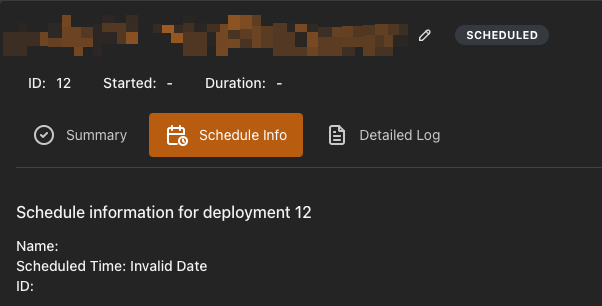
We scheduled a new deployment together, again for 2 minutes or so later.
Again invalid date, but 2 minutes later it just ran.
Afterwards, while preparing this message, I tried the same on a complete other server. Again the first schedule failed, and the second just ran. Identical behaviour.
I don’t now where to look for the reason of this bug, but I guess you guys test your stuff, so it is probably related to some internationalisation or localisation issue, the fact that the scheduler code does not let you input a localised time stamp gives me this feeling a few corners might have been cut.
Not really an urgent issue, as from the second schedule things just run. Apart from the “invalid date” which is a bit annoying, there is afterwards no real issue left.
[EDIT] we noticed a scheduled system script that had never ran and was still activated:
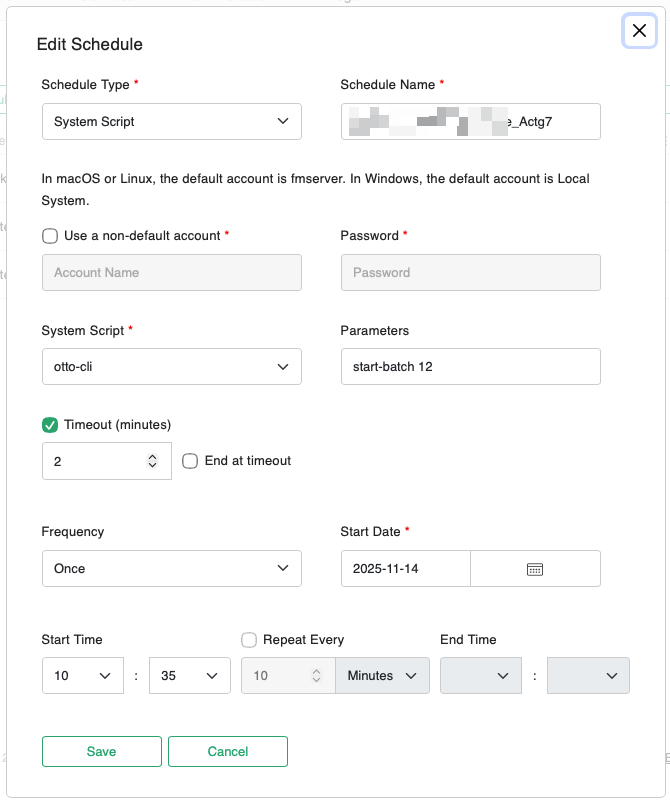
De FileMaker Admin Console has the same localisation issues where it displays the localised date on top, but fails to show the schedules with a localised date. Anyway, for same reason this schedule was never executed by FileMaker Server, even though it seems to have the correct data.