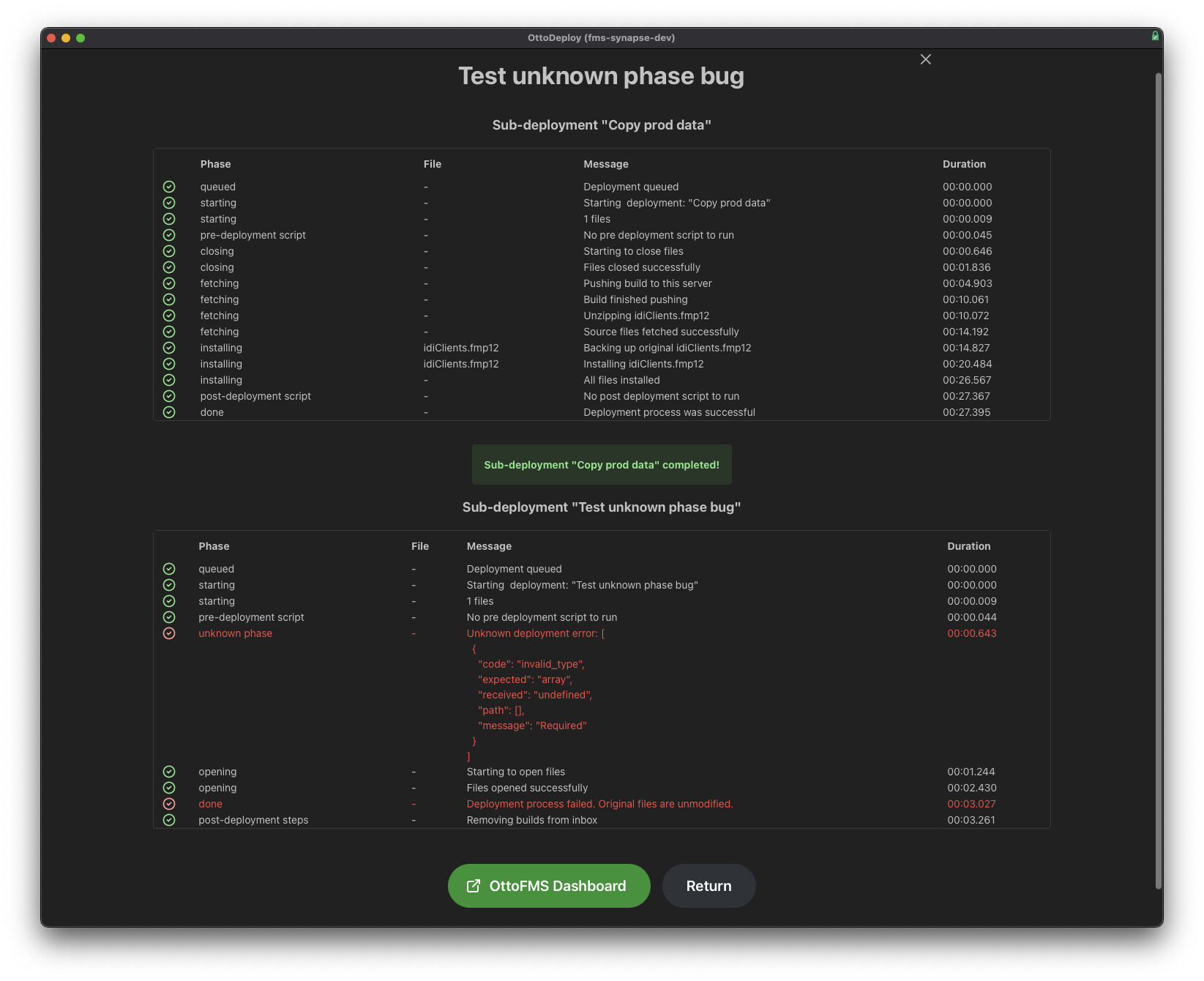
Hello, since we’ve upgraded to 4.13.1 and we are using a build previously created to do a migration, we are getting the Unknown phase - Unknown deployment error:
We get the error no matter if we download the build from the prod server, or we push the build to the destination server.
We tried with different servers (all on OttoFMS 4.13.1), and same problem every time.
What is strange is that we do not get the error if we use Build Just in time.
And we do not get the problem if we run the sub-deployments separately.
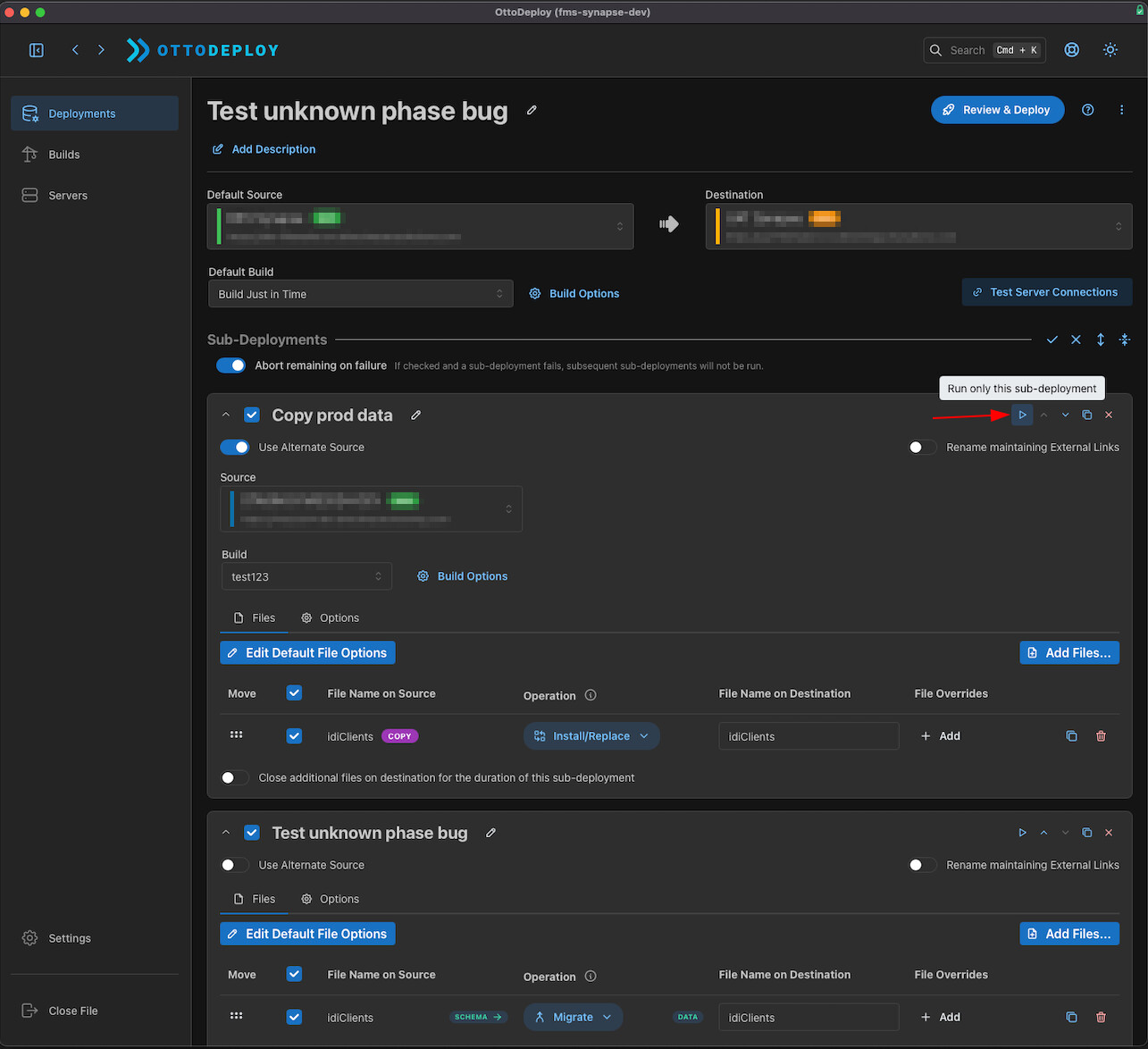
1st sub-deployment is to copy the prod data to the staging environment. The 2nd sub-deployment is to do the actual migration using the dev file.
I am unsure what to check for. We did not try to downgrade yet. It’s probably what we will try next.
It sounds like there might be an issue with OttoFMS expecting something in the old build’s manifest that is not there. Can you send me the manifest.json for the build that is failing with the unknown error? Make sure you remove any information (like passwords or filenames) you don’t want to give out.
Sure. But to clarify a bit, the build is being built by the same version of OttoFMS. I ran the build just before running the deployment shown in my screenshot.
I can also send the debug logs for both sub-deployments if you need them. manifest.json.zip (1.1 KB)
Hmm ok that does help. The debug logs from the deployments would also help.
You mentioned that when you run the two sub-deployments separately it works? If you run the two sub-deployments separately but toggle on the “Keep Files Closed After Deployment” option on the first one does it fail?
Ok interesting. I’ve successfully replicated it on my end. It looks like it only happens when you have a OttoFMS build source that is not a just in time build in a sub-deployment before other sub-deployments.